
Copy-Paste Helper
Junk HTML Cleaner & Image Downloader
- Price
- 900 ₽
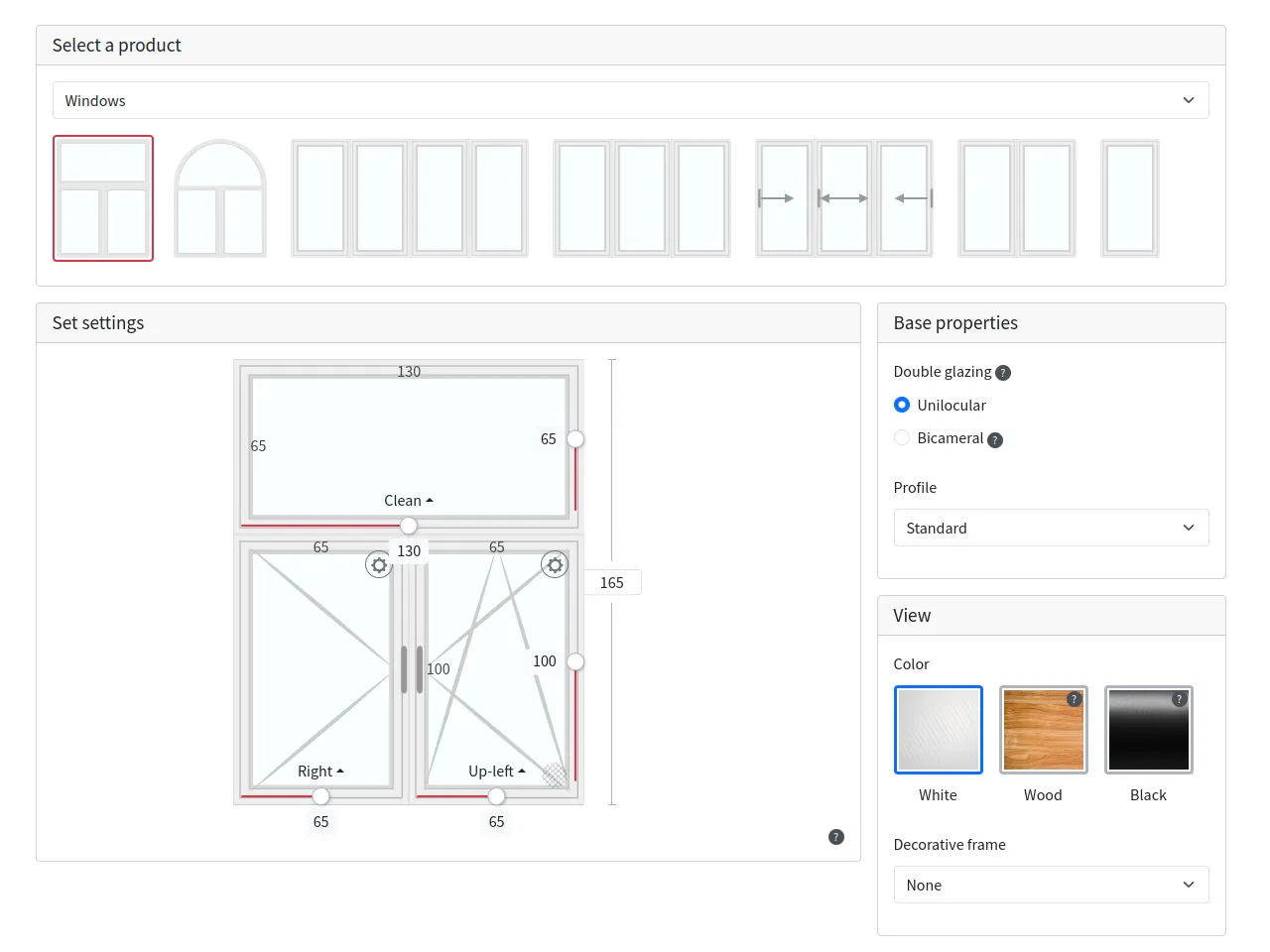
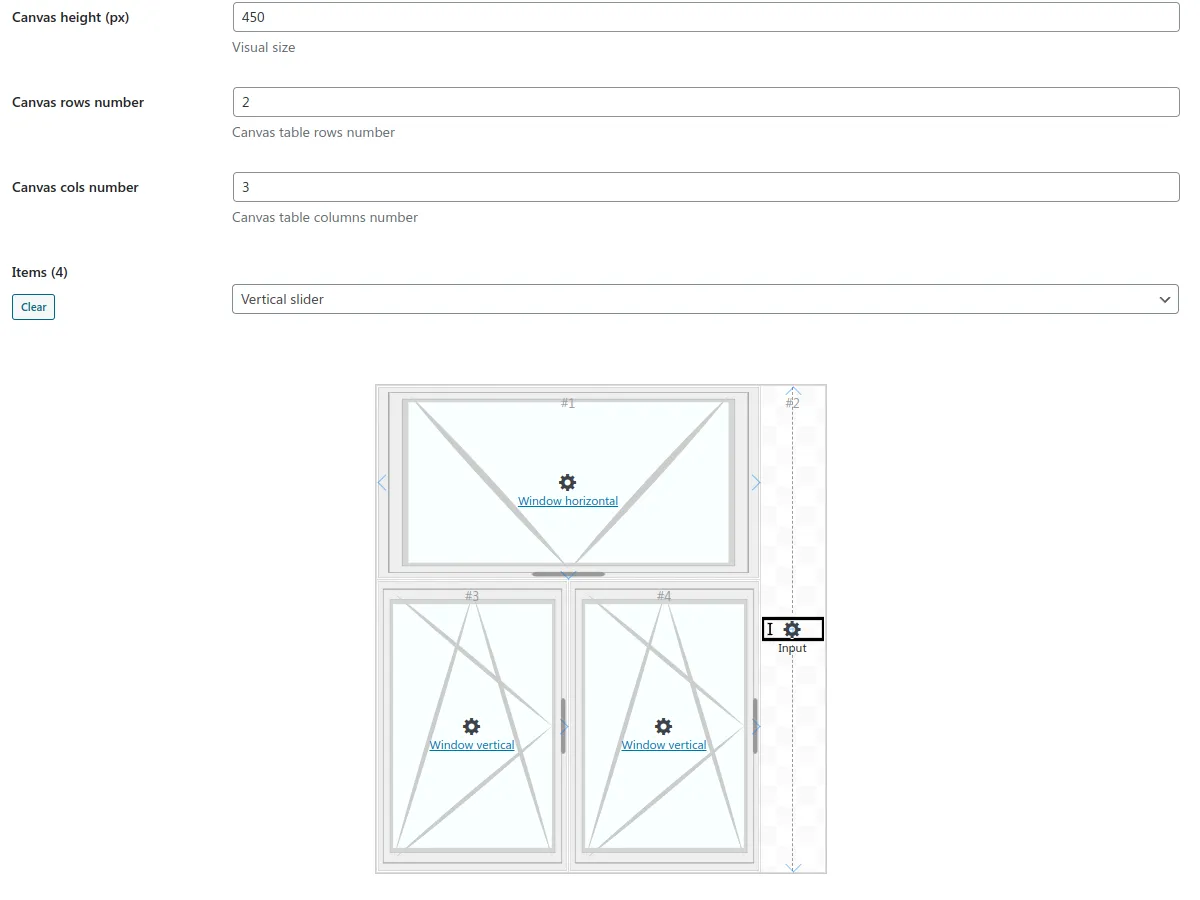
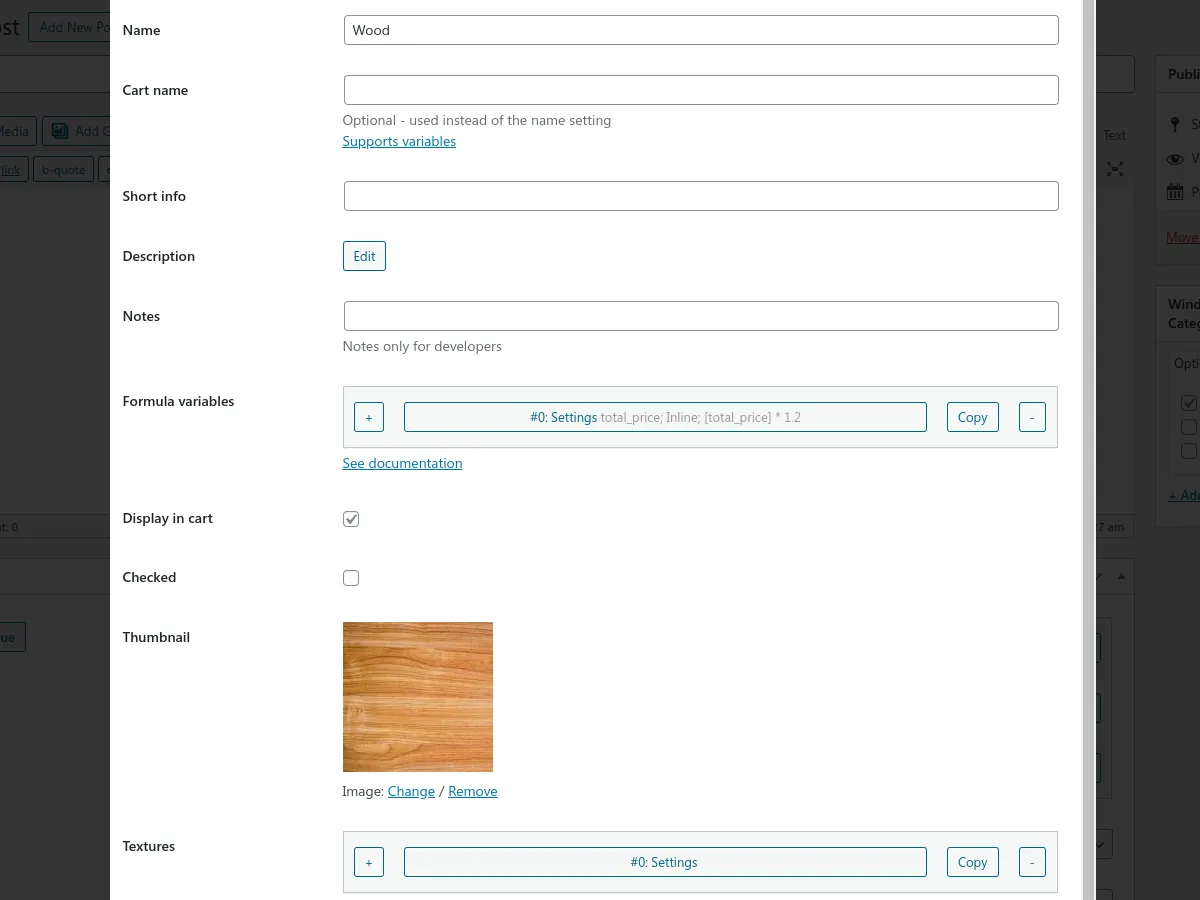
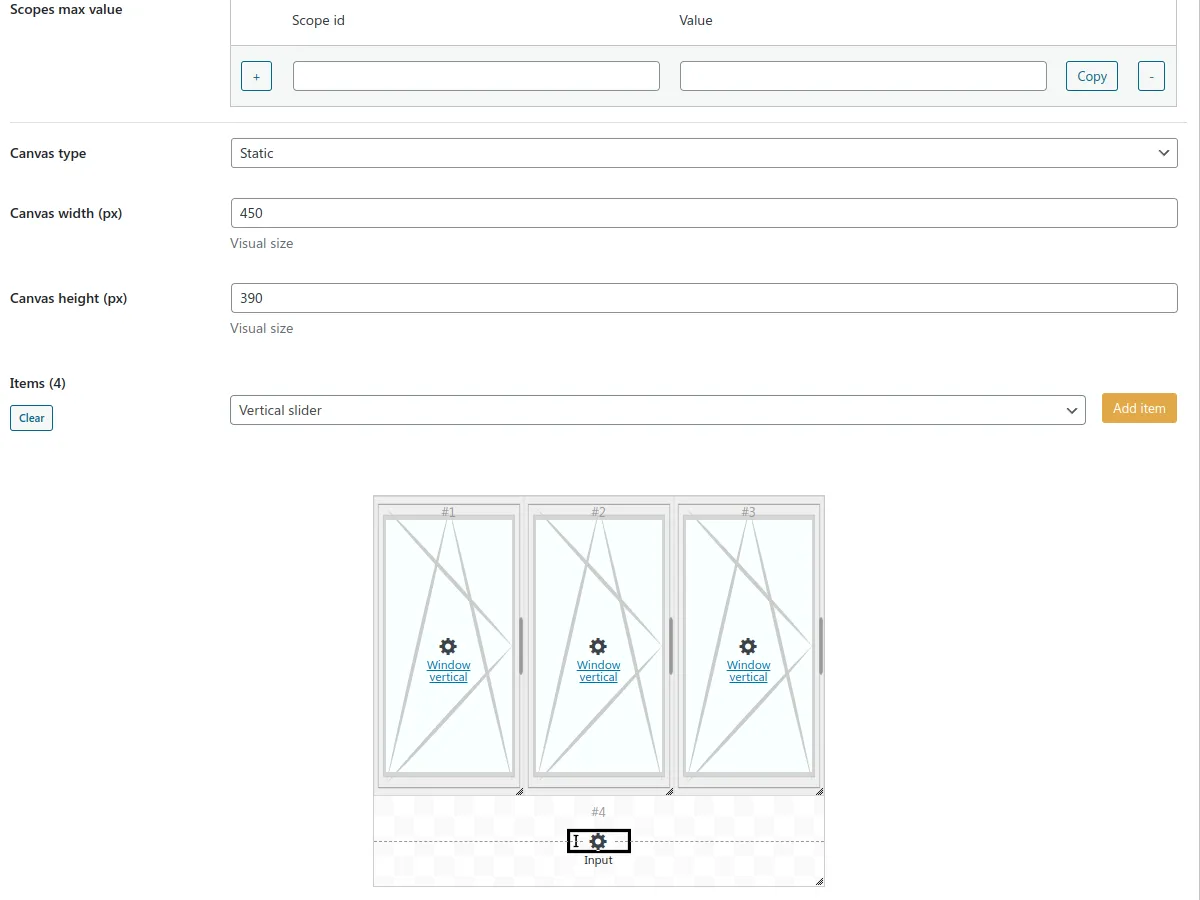
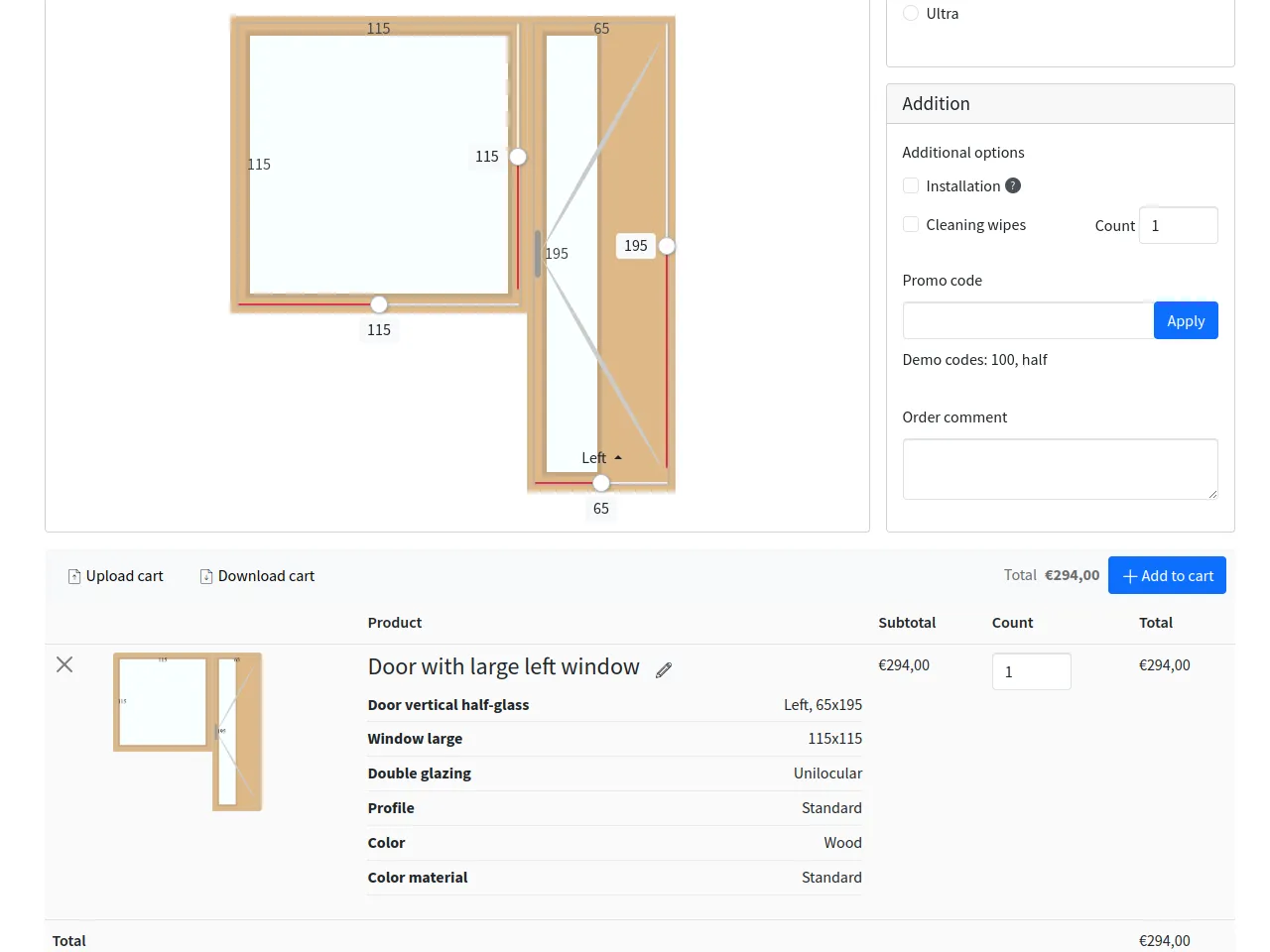

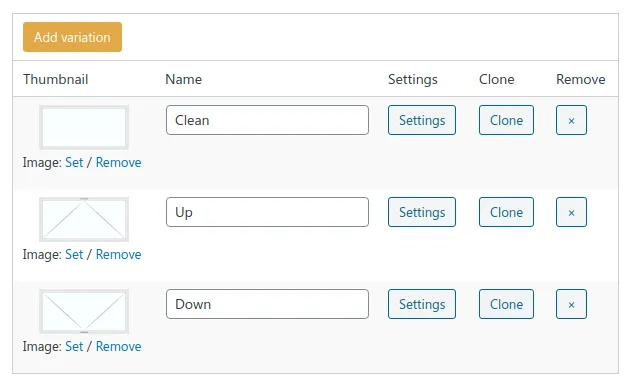
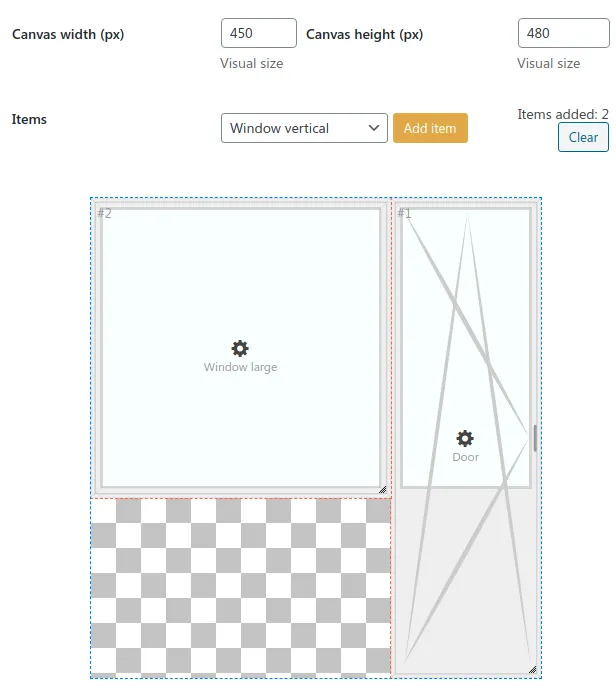
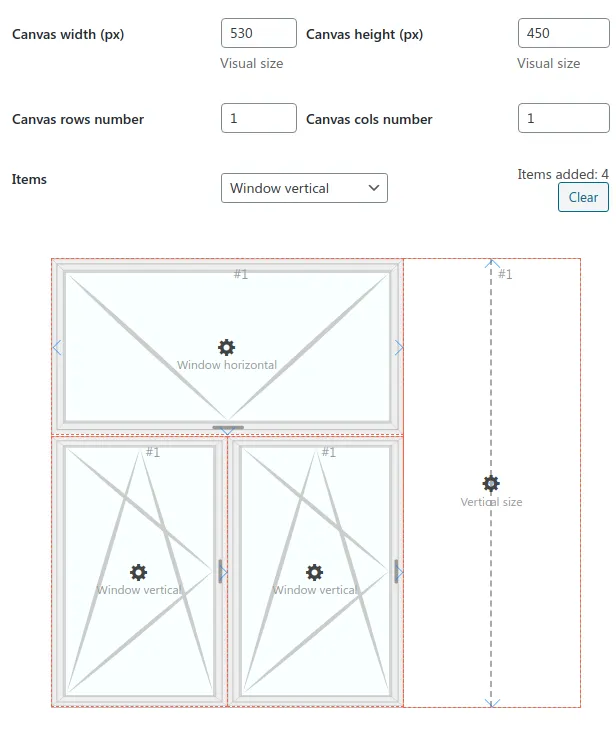
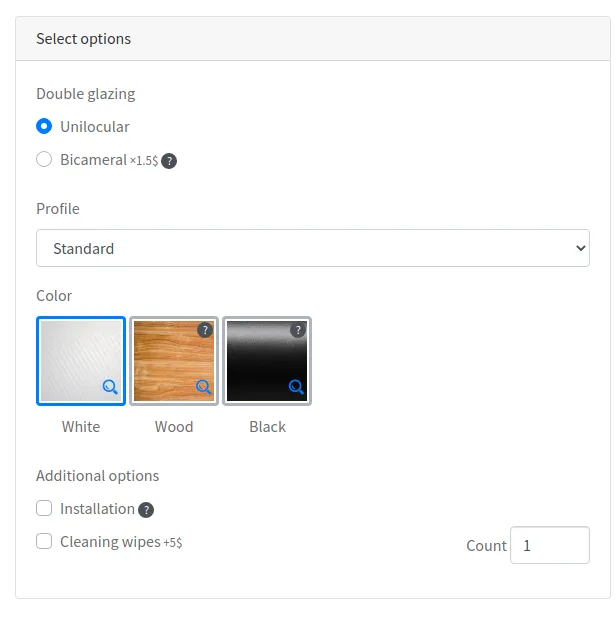
Windows Calculator plugin helps to calculate the final cost of PVC plastic windows and order them.
But the plugin isn’t limited by this type of products! Use it, for example, for garage doors, blinds, or anything you can imagine for the plugin’s structure.
It is possible to build mixtures of products, fixed their rates and sizes, establish extra alternatives.
There is a possibility to receive orders via Email or WooCommerce order.
Only logged in customers who have purchased this product may leave a review.
The plugin has a plenty of entities and options indeed. To have an easier start use the demo-data generation from the plugin settings’ page. That will create all ready to use calculators and products the same as for the plugin demo site. To see them in action, use their shortcodes on a page.
In case you have the WooCommerce plugin on your site, special demo-products with calculators will be generated also.Yes! The plugin can provide a pure HTML section to use it on any other site you need.
Just use a separated WordPress site to store the products and other plugin data.
There are also an API and all required hooks available to handle the calculator inquiries on your site level.
Здравствуйте! При применении шаблона получаю вот такую ошибку:
“Ошибка: Страница настроек windows-calculator не найдена в списке разрешенных.”
Как можно фиксить?

Ответил на почту 😉
# 15.2.0 - 2026-06-08
## Added:
- Possibility to parse Google Sheet files to obtain formula variables or product prices
- Formula variables "map" and "matrix" types
- "Update formula variables before availability rules loop" setting
- Option "group-checkbox" and "group-radio" views
- Option value count "step" setting

## Fixed:
- Revert hidden in cart entities during editing order item
- Mixed up min/Max scope settings
- Small code improvements
- Stuck cart item name cloned from a cart item with changed name
- Keep edited cart item count

## Tweak:
- Data-tables admin part refactoring

# 15.1.0 - 2026-03-16
## Breaking changes:
- Formula variable export files now require heading row for correct parsing
- Products and utilities as cart item attributes are sorted by their index

## Added:
- Formula variable condition property
- Calculator total rows translatable setting
- Option value count input for radio option type
- "Load products price via AJAX" combination setting
- "Recalculate formula variables" setting for availability rules by equation
- Availability rules by product variables
- "Compact cart options" product setting
- "show/hide-until-first/last-step" controls class

## Changed:
- Keep custom cart item name while editing
- Availability rules by equation using the only formula setting
- Replace vertical/horizontal slider elements by one with orientation property
- Scroll to cart item on edit
- Apply all required CSS variables to the cart item thumbnail while generation
- Better merge by quantity of same WooCommerce cart items

## Fixed:
- Revert utility values while WooCommerce order item edit
- Export entities with availability rules by combination category
- Equation based availability rules by product variables for individual product options
- Don't change scope parents values by the child if their total value is same as child's
- Steps with availability rules state and better scroll to opened

# 15.0.1 - 2025-10-31
## Added:
- Bulk edit for a few product and option settings

## Fixed:
- Reverted combination item "Enabled variations" and "Use combination controls" settings

## Changed
- Individual product options output as separate lines of a cart item

# 15.0.0 - 2025-10-27
## Breaking changes
- Not use product variation thumbnail setting to output on the canvas. Using of the "Canvas thumbnails" setting instead.
- Not use canvas controls automatically for the only individual pricing type product
- "Output product prices" instead of "Calculate online" setting, what not affects totals output

## Added
- Multilingual addon support
- Style setting for: Product, Product variation, Product thumbnails, Combination item
- Calculator loading type setting
- Combination capture thumbnail control
- Combination bulk edit settings
- Combination "Scopes shared max values" setting
- Combination "Mark cart products" setting
- Combination item custom presets
- Combination item availability rules
- Combination item "Reflect formula variable" setting
- Combination item "Display on thumbnail" setting
- Combination product "Enabled variations" setting
- Combination "Inner relation" setting for availability rules by combination
- Availability rules by combination categories
- Product thumbnails setting
- Formula "if_equal", "if_equal_any", "if_else", "init_once" functions
- Formula "product_id" and "product_index" variables
- Formula variables to CSS variables setting

## Changed:
- Demo-data

## Fixed
- Availability rules work with parents and children
- Availability rules work with "select-with-search" option type
- WooCommerce single product calculator shortcode output bug
- Reset button bug
- Steps toggle bug
- Canvas admin part refactoring
- Rare combination thumbnail capture bug
- Product variation select within settings modal with availability rules bug
- Size sliders update on product variation switch bug

= 14.2.1 =
Fix: Combination scope min/max settings bug
Fix: Default option images size
Fix: Excess formula variables data in HTML
Fix: Option value availability rules legacy migration bug

= 14.2.0 =
New: Combination/Product variation square limit settings
Removed: Save cart preset button
New: Cart presets button
New: Scrolling top gap setting
New: Formula variables priority setting
New: "get_from_size_table" formula rounding argument
New: "remainder" formula function
New: :wincalc-product-hash pseudo-class to determine a specific product by its individual options
New: WC single product template settings
New: Clone cart item control
New: "Enable image link" for image type options setting
Tweak: Export formula variables to CSV file
Tweak: Re-order product variations / option values in the admin part
Tweak: Option-level "Display in cart" setting for single value types
Fix: PDF items count output with disabled price calculation
Fix: Combination product replace bug
Fix: Load generator data from DB bug
Fix: WooCommerce order item edit link bug
Fix: Lost product thumbnail availability rules while export
Fix: Lost option categories of layout while export

= 14.1.1 =
Fix: Product variation settings save bug
Fix: Deep export/import bugs
Fix: WooCommerce order items doubling data

= 14.1.0 =
Removed: PDF header/footer height settings
New: PDF page spaces setting
New: PDF body and totals view settings
New: Cart truncate control
New: Product default size settings for combination item
New: Product size input "read only" setting for combination item
New: Product variation & Option value "enabled" setting
New: Formula variables spreadsheets parsers
New: Product price/variation formula variables by ID/index/size
New: "Relation" setting for availability rules by product variations
New: Possibility to export entities individually
New: Combination thumbnail generation from the canvas in the admin part
Tweak: Better combination image generation process
Tweak: Availability rules performance improvement
Tweak: Possibility to replace a combination item in the admin part
Tweak: Restoring of the product variation main thumbnail setting
Tweak: Applying product variables after getting product sizes and price
Tweak: Combination admin part and settings refactoring
Fix: Handle numeric type options min/max on input
Fix: Initial active product variation index
Fix: Unique thumbnail SVG IDs for the same product variations
Fix: Product variation availability rules bug
Fix: Demo-data generation bug of calculators layout
Fix: Cart totals value for items with more than one quantity
Fix: WooCommerce order again lost item data
Fix: WooCommerce cart item name replace

= 14.0.0 =
Removed: "Influence" option value settings
Removed: "Common pricing multipliers affect" option value setting
Removed: "Multiplication type behavior" option value setting
Removed: Option formula setting
Tweak: Fit dynamic combination height into the square canvas
Tweak: Optional ending coordinate of spreadsheets parsing
New: XLS spreadsheet files using for product variation prices update
New: Spreadsheet parse interval product setting
New: Formula variables settings
New: Product cart name setting
New: Option value cart name setting
New: Cart item name edit possibility
New: "Limit value by reflected siblings size" canvas item settings
New: "Limit min/max size by scope parents" product setting
New: Product/Variation unavailable size message individual setting
New: Multiple textures setting for option values
Removed: Show with option/product/combination settings
New: Flexible availability rules setting
Removed: Tax settings
New: Total rows settings
Removed: Reduce products width/height setting for options
New: Visually hidden canvas element option
Fix: Spreadsheet empty cell to zero parsing bug
Fix: Cart PDF download name bug
New: Product variation multiple thumbnails
New: Is expanded by default option setting
New: Steps module for visual editors
Removed: Combinations and options settings
New: Layout template setting

= 13.0.0 =
Removed: Enable individual control settings
Removed: "Show price" option value setting
New: Short info option value setting
New: Controls/Cart controls settings
New: Edit cart item button text and class settings
New: WC orders edit possibility
New: Download/Upload cart content possibility
New: Save/Load cart preset possibility
New: Canvas input element
Tweak: Replace direction oriented canvas input/value element by the input element
Tweak: Extend canvas slider element possibilities
Tweak: Possibility to define a few indexes separated by a comma for the "Show/Available with product variations" setting
Tweak: Attach cart preset file to CF7 inquiry
Tweak: Plugin data export refactoring
Tweak: Possibility to update existent entities via import
Fix: Cart item thumbnail size on mobile
Fix: "Display in cart" option setting of "select" type bug
Fix: Lazy loading mode bugs
Fix: Header/Sidebar stuck top offset setting bug
Fix: WooCommerce single product calculator shortcode for visual editors bug
Removed: Legacy code lower v8.0.0

= 12.1.0 =
New: Navigation button class setting
New: WooCommerce product price text string
New: Sidebar/Main content/Cart controls stuck offset top settings
Fix: Selection preview bugs
Fix: Bug of option "Available with product variations" setting
Fix: "Show with options" setting bug of text input option types
Fix: Enable "Snap width/height" product variation setting for combination size inputs
Fix: Wrong add item to cart on invoice modal open
Fix: Totals calculation bug for steps mode
Tweak: Accept URL query arguments for calculator lazy loading
Tweak: WooCommerce High-Performance order storage (COT) compatibility
Tweak: Scroll top of the opened tab

= 12.0.0 =
New: Output product variation select within settings modal on mobile
New: "Default height" setting for canvas elements
New: Sidebar position and size settings
New: Attach PDF to WooCommerce order items
New: ES modules of source scripts
New: Combinations/Categories list grid item width setting
New: Controls module for visual editors
Tweak: Code improvements and fixes
Tweak: Export/import data tools refactoring
Tweak: Cart PDF layout refactoring
Tweak: Draw elements sizes above the generated thumbnail
Tweak: Views deep refactoring
Tweak: Migrate to Bootstrap v5.3.3
Removed: Included scripts setting
Removed: Combinations/Categories list grid item class setting
Removed: Bootstrap tab and tooltip scripts
Fix: Output product mobile size inputs according to the canvas item settings

= 11.0.0 =
Removed: Width/height price multiplier settings
Removed: Currency unit setting
Removed: Currency unit position setting
New: Common pricing type calculation by the total area difference instead of width/height difference
New: Price prefix/suffix settings
New: PDF file name setting
New: Download PDF file setting
Fix: WooCommerce order item name
Tweak: Migrate bootstrap dropdown script to CSS

= 10.1.0 =
New: WooCommerce single product calculator shortcode for visual editors
New: Scope min size value combination setting for the individual pricing type
New: Width + Height min/max value combination setting for the common pricing type
New: Output product size inputs within settings modal on mobile
New: Limit scoped items min/max size by width/height settings
Tweak: Combination dynamic canvas' cell width setting
Tweak: Change the attached WooCommerce product name by the cart item's one
Tweak: Possibility to use a negative tax value
Tweak: Migrate from bootstrap modals to dialog element
Fix: Inputs long bind-chains bug
Fix: Scope size limit for dependent elements
Fix: Visual editor mode with combinations/options description recursion bug
Fix: WooCommerce single product page made using a visual editor and have a calculator bug
Fix: Variation creation bug for new products

= 10.0.0 =
Removed: jQuery base
Removed: "Size unit" setting
Removed: "Size string" setting
Removed: "Variation string" setting
New: Spreadsheet files using for product variation prices update
New: Combination product name setting
New: Combination cart item name setting
New: Min/Max product visual height setting for dynamic canvas
New: Export to HTML feature
Fix: Rare bug of PDF images with get attributes in link
Tweak: Export/import data tools refactoring
Tweak: Scope value formula variables
Tweak: "select2" option type renamed to "select-with-search"

= 9.4.2 =
Fix: Plugin freeze bug
Tweak: Code improvements

= 9.4.1 =
Tweak: More flexible option image size setting
Fix: Individual product options common setting work bug
Fix: Absent height cart value of a single product
Fix: Products snap size bug
Fix: On/off select type option values bug

= 9.4.0 =
New: WPBakery integration
New: Elementor integration
New: Divi Builder integration
New: Dynamic product width/height formula variables
New: Panel with toggle views
New: Snap size product setting
New: "Show width/height" combination settings
Fix: Custom styles generation bug
Fix: Output WooCommerce order button without active WooCommerce bug

= 9.3.0 =
New: "Available with options" setting cart count and total rule
New: "Available with options" setting more conditions
New: Debug scripts include type setting value
New: Individual product options common setting
New: WooCommerce product calculator shortcode
New: [products_count] formula variable
Tweak: Draggable dynamic canvas items in the admin part
Tweak: Option admin part refactoring
Fix: Texture position for generated thumbnail fix
Fix: Horizontal input element with dynamic canvas bug

= 9.2.0 =
New: "Reflect width/height group" product/input element value setting
New: "Inversely width/height group" input element value setting
New: Number option type calculation
New: Size elements step setting
New: Empty cart message setting

= 9.1.2 =
Fix: Scoped and grouped items work bug
Fix: Change active product variation if hidden by an option

= 9.1.1 =
Fix: Combination with multiple categories work bug
Fix: Hidden options bug
Fix: Empty product table price cells behavior
Fix: Cart PDF product attributes missing name
Fix: Demo-data generation bug

= 9.1.0 =
New: "Available with options" option setting
New: "Available with product variations" option setting
New: "Available with combinations" option setting
New: "Availability rules" option setting
New: Select2 option type
New: Two ways binding of parent/child scopes
New: "Inversely width/height group" product value setting
New: "Display in cart" product value setting
New: "Show with combinations" option category setting
Tweak: Visually hidden products are visible in the cart by-default
Tweak: Code improvements
Fix: Using of a zero product size price is allowed
Fix: SVGs bug on iOS
Fix: License activation bug

= 9.0.0 =
Removed: "Hide width controls" combination product setting
Removed: "Hide height controls" combination product setting
New: Formula based option type
New: "Enable width/height input/slider" combination and product settings
New: Options using rules by products height and width
New: Number option type
New: Slider/input canvas elements
New: Possibility to pass canvas element value in the cart
New: Templates customization admin tool
New: Admin custom styles settings
New: Sidebar position/class settings
New: Flexible product images
Tweak: Migrate to Bootstrap 5 framework
Tweak: Assets enqueue improvement
Fix: Coupon work bug
Fix: Text domain loading bug

= 8.0.2 =
Fix: Calculator attached to a WooCommerce product bug
Fix: PDF bugs with PHP v8

= 8.0.1 =
Fix: Code improvements and bug fixes

= 8.0.0 =
Removed: Global WooCommerce integration setting
New: Text option type
New: Save state to URL setting
New: Cart PDF additional CSS setting
New: More calculator controls settings
Tweak: Possibility to output CF7 fields in the PDF file
Tweak: "Show with options" setting refactoring
Tweak: Empty price cells behavior
Fix: WooCommerce cart item attributes with the same name bug
Fix: Generate/export data bugs

= 7.7.1 =
Tweak: Small code fixes

= 7.7.0 =
New: "Price including tax" setting
Fix: Update selection bug among categories select
Fix: Option count bug
Fix: Cart print no texts bug
Fix: Combinations views with toggle bug
Tweak: Small improvements

= 7.6.0 =
New: "Round price to" product setting
Fix: ContactForm7 v5.4 bug

= 7.5.2 =
Fix: Product variation change name bug
New: Visually hidden combination product option

= 7.5.1 =
Fix: "Show with combinations" setting bug

= 7.5.0 =
New: More view settings
New: Deep WooCommerce integration
Tweak: Code improvements
Fix: Cart item static thumbnail bug
Fix: Load combinations via AJAX bug

= 7.4.0 =
Fix: Size unit bug
Fix: The only product with the common pricing type bug
New: Product/combination name setting
Tweak: Save steps layout stage
Tweak: Code refactoring

= 7.3.0 =
New: Price format settings
New: Combination description string output
New: "Store session in the DB" global setting
Tweak: Combination size inputs work refactoring
Tweak: Cart workflow and view refactoring
Tweak: Code refactoring

= 7.2.2 =
Fix: Code fixes

= 7.2.1 =
Fix: The only product sliders bug
Tweak: Code improvements

= 7.2.0 =
New: Steps sorting setting for steps layout
Removed: "Separate combinations categories step" setting
Fix: "Area-based multiplication" option type bug
Fix: Admin part options bugs
Fix: Options CSS work bug

= 7.1.0 =
New: Options using rules settings
New: A few strings settings
Tweak: Checkbox options better cart storing
Fix: Options textures rare bug

= 7.0.0 =
Removed: Combinations body view setting
New: More flexible combination and categories view settings
New: Description output type option setting
Tweak: Code improvements

= 6.8.0 =
New: "Multiplication type behavior" option setting
New: "Selected combinations terms" setting
New: "Combinations grid col class" setting
New: "Enable cart print" setting
Tweak: noUiSlider update
Fix: Common pricing type calculations bug on combination change event
Fix: Current selection element work bug
Fix: Option influence another option price bug

= 6.7.0 =
New: Option label setting
New: WooCommerce order redirect URL
Fix: Options with the same labels work bug
Fix: Product prices with commas bug
Fix: Order submit in steps mode bug
Fix: Disabled cart in steps mode bug
Fix: Export/import bugs
Tweak: More reliable sliders work

= 6.6.1 =
Fix: "Select" view options texture bug
Fix: Steps view code bug

= 6.6.0 =
New: "Display in cart" option value setting
Fix: Option texture above combination bug
Fix: Hidden options work bug
Fix: Woocommerce cart item generated thumbnail bug
Tweak: Combination admin interface refactoring
Tweak: Code refactoring

= 6.5.1 =
Fix: Products sliders overlapping bug
Tweak: More code filters

= 6.5.0 =
New: "Show with option" product variation setting
Tweak: No options work behavior
Fix: PDF images and special chars bug

= 6.4.0 =
New: Print feature refactoring
Tweak: Cart work refactoring
Fix: Small bugs

= 6.3.0 =
New: Export/import data feature
New: Dynamic canvas type with floating product sizes

= 6.2.0 =
New: Step layout nav walk type setting
New: Common pricing multipliers affect setting
Fix: Show with product variations setting bug
Fix: Texture within individual "select" option bug

= 6.1.0 =
New: Area/perimeter/width/height based addition option type
New: Perimeter based multiplication option type
New: Hidden option type
Tweak: Migrate to Bootstrap 4 framework
Tweak: Better product options calculation
Fix: Code bugs

= 6.0.3 =
Tweak: Price calculation time buffer adjustment
Tweak: Small work improvements

= 6.0.2 =
Fix: Edit cart item bugs
Fix: AJAX-loading combinations bug

= 6.0.1 =
Fix: Without Woocommerce bug

= 6.0.0 =
New: Option "image max-width" setting
New: Image options lightbox link
Fix: Option's "Show with combinations" setting work bug
Tweak: Change selection data on product variation change
Tweak: Deep code refactoring

= 5.1.0 =
New: "Use canvas controls" product options for multi-product combinations
New: New combination items - "Elements"
Tweak: noUiSlider update
Tweak: Documentation update

= 5.0.1 =
Tweak: Better integration with WC product prices
Tweak: Code refactoring

= 5.0.0 =
New: Options more flexible influence
New: Visually hidden product option
New: Width/height step setting
New: Hide controls setting
Tweak: Tax output on combination price, cart item and selection block
Tweak: Price calculation optimization
Tweak: Options admin part improvement
Tweak: Order item thumbnail replaced by generated
Fix: Decimal individual sizes bug
Fix: Long decimals bug
Fix: Price tables bug of the demo data generation
Removed: "Influenced combinations" option post setting
Removed: "Size rounding step" product setting

= 4.5.0 =
New: "Show with product variations" setting for options
New: Save/load preset controls
Tweak: Buttons icons added

= 4.4.0 =
New: Max scope size value
New: Order thought email details template

= 4.3.1 =
Tweak: Apply option's CSS to the resulting image
Tweak: Reset state on repeat click
Tweak: Selection update improvement
Fix: Contact Form 7 order cart bug

= 4.3.0 =
New: Option item description as a string
New: Default individual product sizes
New: Count min/max options
Fix: Price tables parsing bug
Tweak: Deep code refactoring

= 4.2.1 =
New: Combination categories description output
Fix: Woocommerce product edit controls bug
Fix: Individual prices table parsing bug

= 4.2.0 =
New: "Disable cart" option
Fix: Demo generator preset bug
Fix: Price update by sliders bug

= 4.1.0 =
New: "Apply CSS on option select" option
New: "Product image output type" option
Tweak: Example images are updated
Fix: Email order bug

= 4.0.1 =
Fix: Combination category change bug
Fix: Demo data preset bug

= 4.0.0 =
New: Product's individual prices storing
New: Product visibility option
Fix: Coupon removing fix
Tweak: Steps layout style update
Tweak: Documentation update

= 3.4.1 =
Tweak: Steps layout style update
Tweak: Combination sizes with decimals
Tweak: Code refactoring

= 3.4.0 =
New: Editable items in the cart
New: "Fill" option texture placement value
Tweak: Code refactoring

= 3.3.1 =
Fix: Woocommerce product WinCalc type missing
Tweak: Code refactoring

= 3.3.0 =
New: Cart item thumbnail generation from the selected combination.
!Important note: to make the feature work correctly in Mozilla Firefox browser it's necessary to update the product
images from the "image-examples/products" folder if you are using them.
New: Product size step setting
Tweak: noUiSlider version update
Fix: Order modal opening bug

= 3.2.0 =
New: WC products price range fields
Fix: Options visibility rules bug
Fix: Admin canvas bug

= 3.1.1 =
Fix: Add to WooCommerce cart bug
Fix: Price calculation bug

= 3.1.0 =
New: Individual product options
New: Option visibility dependency conditions
New: Price step setting for the common pricing type
Fix: A few admin warnings
Fix: Options textures appearance bug
Fix: Sliders options update bug
Tweak: Code refactoring and boosting

= 3.0.0 =
Fix: Price with tax calculation bug
Fix: Cart big data bug
Tweak: Cart and code deep refactoring

= 2.17.1 =
Fix: Combination data in the cart bug
Tweak: Rounding the price to at least of two digits

= 2.17.0 =
New: Taxes calculation
New: Options texture overlay
Tweak: Code refactoring
Tweak: Admin part refactoring

= 2.16.1 =
New: Canvas product tools: clear, copy, order
Tweak: Scripts including control
Tweak: Code refactoring

= 2.16.0 =
New: Option types: area size based addition, width based addition, height based addition
New: Loading combinations via AJAX
Tweak: Options price influence order

= 2.15.0 =
New: Option item description field
Tweak: Demo data preset update
Tweak: Better code reliability

= 2.14.1 =
Tweak: Better code reliability

= 2.14.0 =
New: Products and combinations description
New: "Checked" option for checkable "Options" items

= 2.13.0 =
New: Image checkbox option type
Tweak: Smooth individual pricing algorithm
Tweak: Steps layout refactoring
Tweak: Code refactoring

= 2.12.0 =
New: "Combinations body view" setting
Tweak: WooCommerce products in the demo data generator
Tweak: Views refactoring
Fix: Rare "add to cart" redirect bug
Fix: Print images bug

= 2.11.3 =
Tweak: Better individual prices flexibility
Tweak: Better mobile view
Fix: Cart price output fix

= 2.11.2 =
Fix: Missed product data in the order admin part
Fix: Rare cart bug
Tweak: Better mobile view

= 2.11.1 =
Fix: Float products prices bug in Woocommerce cart
Tweak: Demo data preset update

= 2.11.0 =
New: Product sizes chaining to other
Tweak: Better size grouping algorithm

= 2.10.2 =
Tweak: Steps layout work improvement
Tweak: Sliders scripts work improvement
Fix: "Calculate online" option behavior

= 2.10.1 =
New: Image-size setting for options
Fix: Admin part bugs
Fix: Price calculation bug

= 2.10.0 =
New: Steps layout
New: User comment option
Tweak: Code refactoring

= 2.9.1 =
Fix: Calculation bug with leading currency unit

= 2.9.0 =
New: Option visibility based on the active combination
New: Option description field
Fix: WooCommerce integration bug without WooCommerce

= 2.8.0 =
New: Product admin html prices parser
New: Demo data generator

= 2.7.0 =
New: Products width/height grouping
Tweak: Common pricing algorithm simplify
Fix: Cart item creation bug

= 2.6.1 =
Fix: Options missed calculation

= 2.6.0 =
New: Enabling/disabling option influence on specific combinations
Fix: Wrong price calculation
Fix: Prevented "enter" keypress redirect

= 2.5.0 =
New: Image radio option type
New: Options visibility support

= 2.4.0 =
New: Combination categories select
New: Checkbox option count input

= 2.3.0 =
New: Coupon option type
New: Option price output
New: Changing combinations list title according to an active item

= 2.2.1 =
Fix: Product prices saving bug

= 2.2.0 =
New: WooCommerce Integration
Tweak: Views refactoring

= 2.1.0 =
New: Cart item counters
New: Print cart content button

= 2.0.1 =
Tweak: Code refactoring

= 2.0.0 =
New: Total product price
New: Mouse scale and drag'n'drop of combination products
Removed: Common product visual sizes
Tweak: Visual part update
Tweak: Product individual prices table simplified
Tweak: Some global settings moved to posts
Tweak: Deep refactoring
Tweak: Example images updated

= 1.3.1 =
Tweak: Code refactoring

= 1.3.0 =
Fix: Products in the cart bugs
New: Product variation dropdown changing

= 1.2.2 =
Fix: Product variation thumbnail admin work fix

= 1.2.1 =
New: Admin product variation clone

= 1.2.0 =
Fix: Wrong prices rounding
Tweak: Combination with only product and individual pricing type view
New: Gulp build

= 1.1.1 =
Fix: New product variation individual prices modal work

= 1.1.0 =
New: Combination pricing mode
Fix: Older versions wordpress support
Tweak: Code refactoring

= 1.0.1 =
Fix: Admin not working buttons
New: Images examples folder

= 1.0.0 =
Initial release



For Customer Support
This plug is absolutely brilliant. But even better than the plugin itself, is the amazing level of support given by the plugin’s author.He patiently helped me get this working exactly how I needed it. Thank you very much.
https://codecanyon.net/ratings/3273083
For Flexibility
Realy awesome work. I didn’t find anything similar for the price, compatibility and support what is allex offering. Hope you will keep going to do updates with few more features. 🙂
https://codecanyon.net/ratings/3292077
For Other
Beautiful plugin!
https://codecanyon.net/ratings/3182739
For Flexibility
https://codecanyon.net/ratings/3065599
For Feature Availability
This plug in has a big potential. And is growing fast with flexible combinations, options and much more . Super fast support from the author. Troll is very fast and talented programmer and he always respond on your requests. Big value for money 5 stars script.
https://codecanyon.net/ratings/3089258
For Customer Support
Very good customer support
https://codecanyon.net/ratings/3031762
For Design Quality
The plugin is awesome! So easy to use and set up! Nothing else like it on the market
https://codecanyon.net/ratings/3100672
For Other
nice plugin. it would be nice if the product image is dynamic with the dimensions and if you can place the product image on another background image per layer.
https://codecanyon.net/ratings/3099075
For Customer Support
Every time excellent support.
https://codecanyon.net/ratings/2990342
For Customer Support
Very fast answer, and good help.
Thanks
https://codecanyon.net/ratings/2913318